Project Showcase

The BC Smart Ecosystem app

Explore the BC Smart Ecosystem app and see how BC Ways and BC Eats bring campus navigation and food ordering together in one place.

Home

One place for both services

The home screen has shortcuts to BC Ways and BC Eats, with upcoming items and notifications underneath.
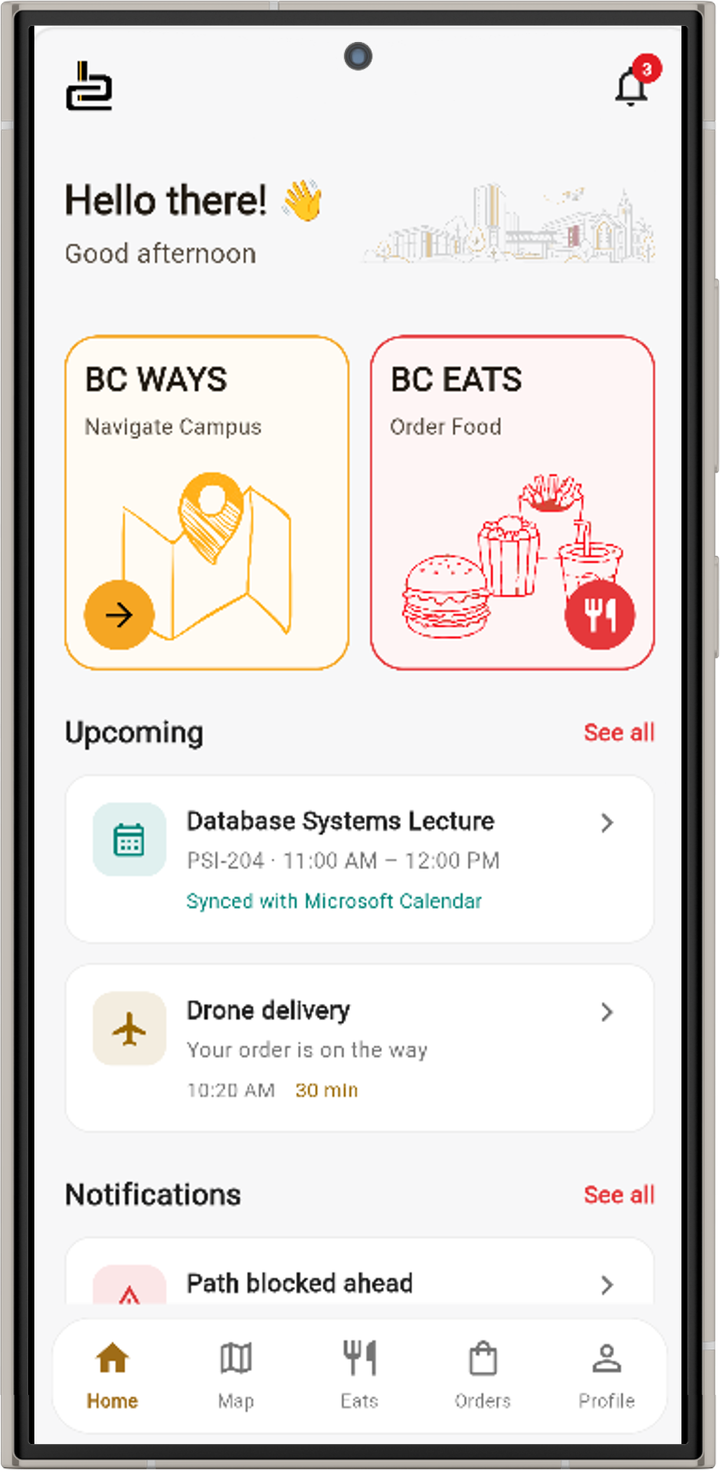
BC Smart Ecosystem home screen with BC Ways and BC Eats shortcuts, an upcoming lecture, a drone delivery item and notifications
BC Ways

Find your way around campus

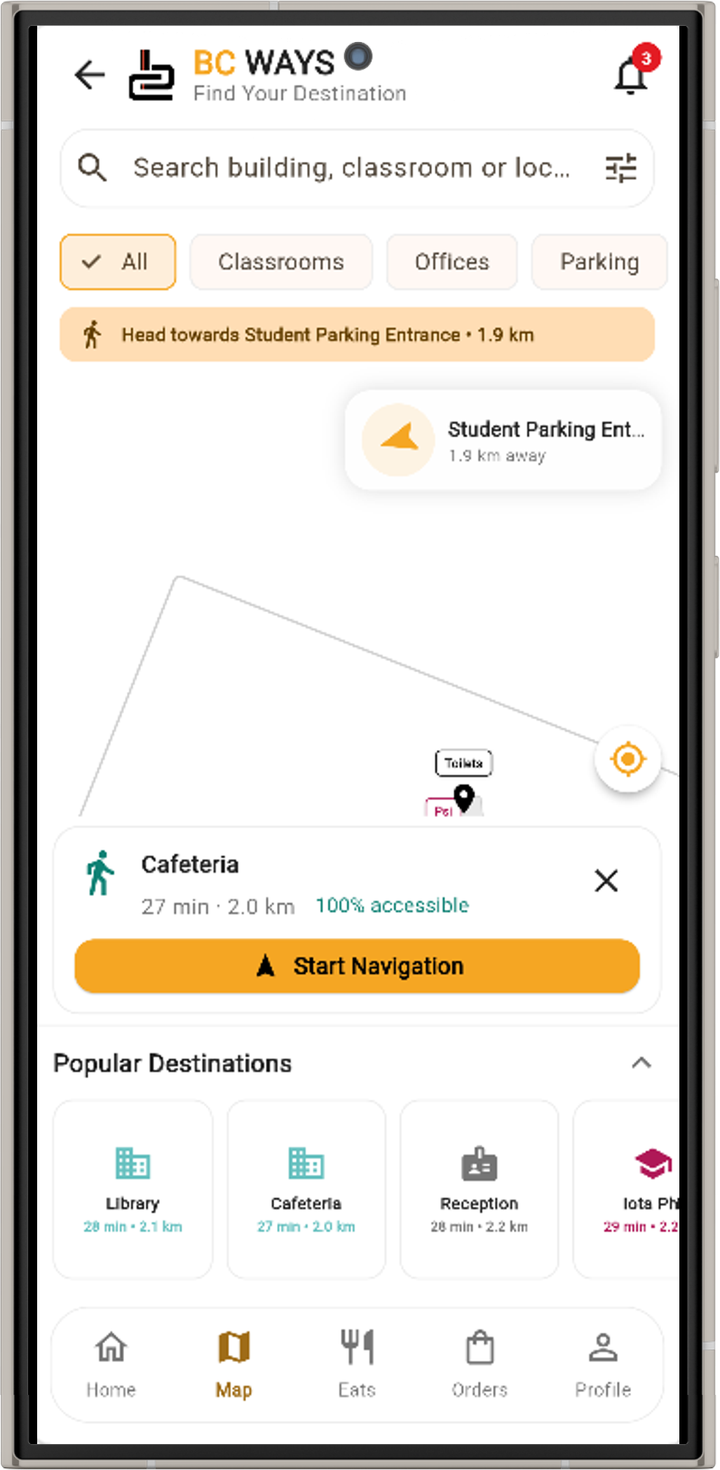
Two screens from the navigation side of the app: finding a place, then choosing it as a destination.
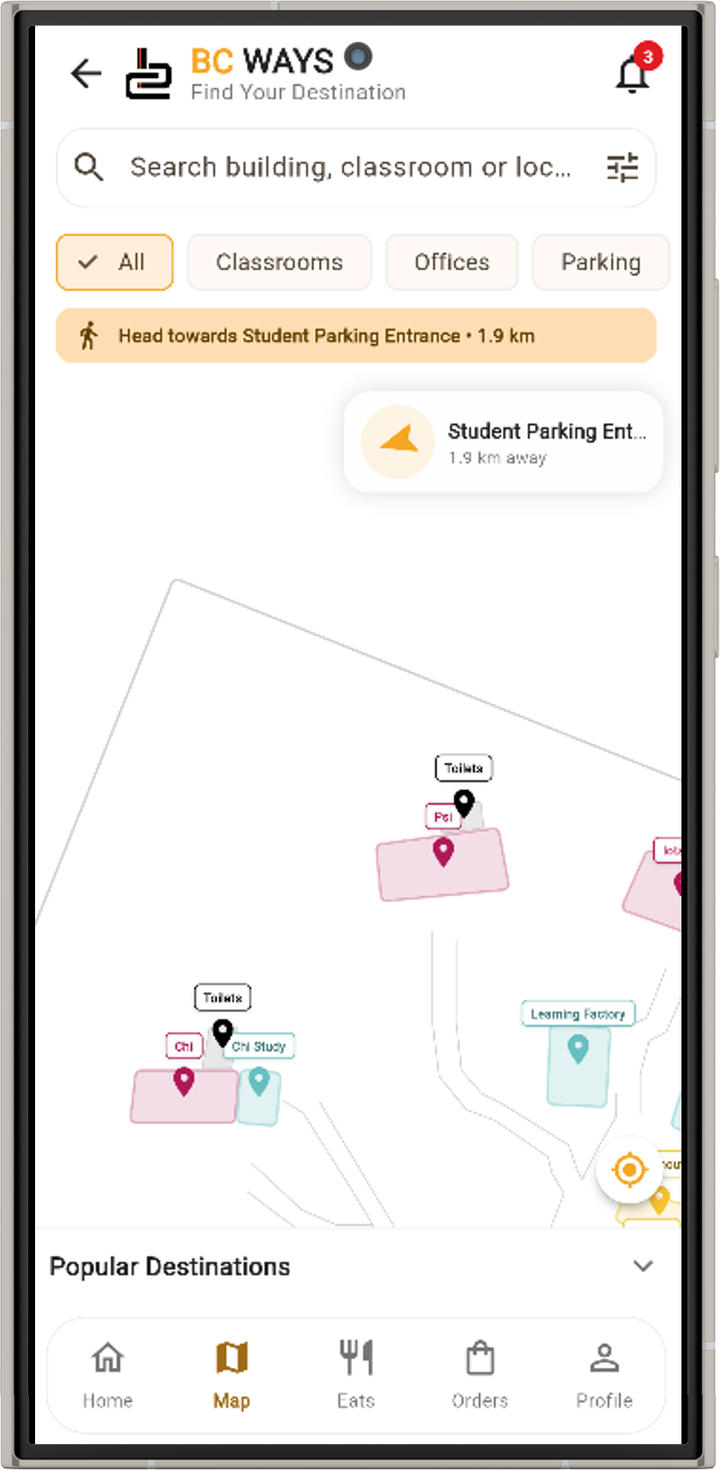
BC Ways map screen with a search bar, filters for All, Classrooms, Offices and Parking, and Popular Destinations
Search and browseSearch for a building, classroom or location, filter the map, and see popular destinations.
BC Ways screen with the Cafeteria selected, showing walking time and distance and a Start Navigation button
Choose a destinationPick a place such as the Cafeteria to see the walking time and distance, then start navigation.
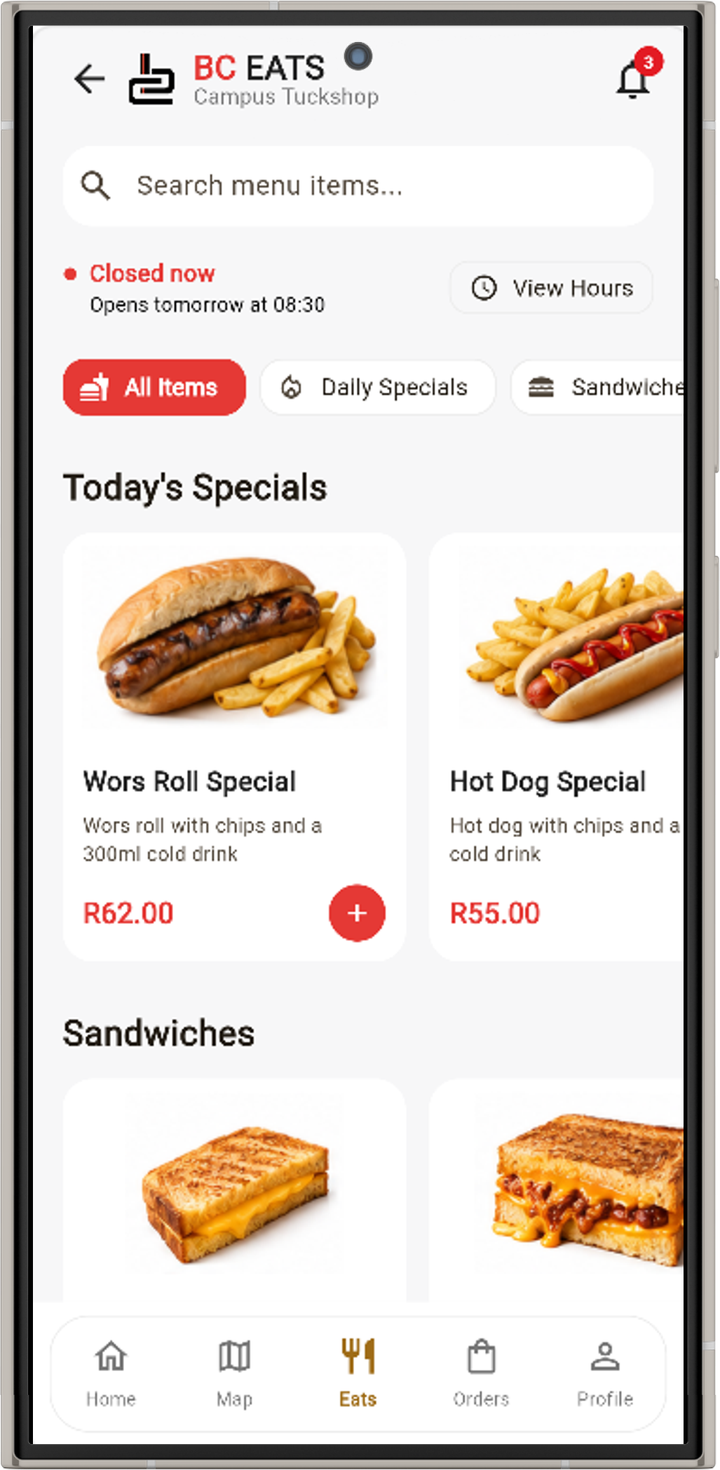
BC Eats menu screen showing today's specials, a Wors Roll Special and a Hot Dog Special with prices, and a Sandwiches section
BC Eats

Browse the tuckshop menu

BC Eats allows users to browse the campus tuckshop menu, view food options and prices, and place orders for pickup or delivery.

```